GDM Solutions
Providing an Industry Standard Software for Research

ARM 2026 Release Notes

See ARM 2026.x Features (pdf) for a presentation of features added to ARM this year.
  • Watch the PowerPoint version in presentation mode to view embedded feature-in-action videos.
 
See the Change Log (txt) for a complete list of all changes made in this (and previous) versions of ARM.
 

Version 2026.1

July 2026

Mixed Models Analysis

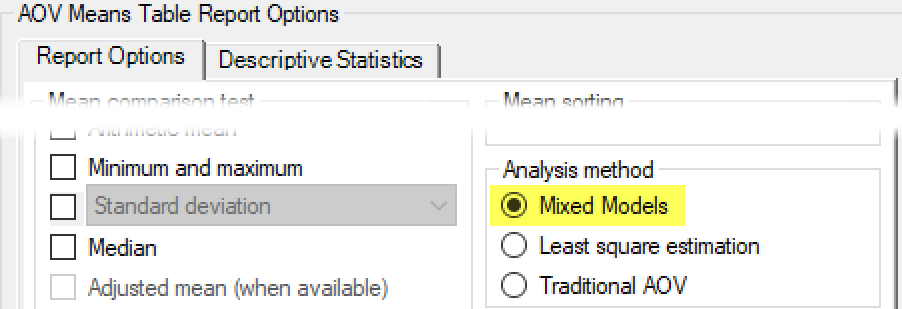
Added Mixed Models analysis for AOV Means Table report:
 
Why use Mixed Models?
  • Missing Data: calculates a less biased (more conservative) estimate of treatment means.
  • Blocking failure: better analysis in situations where replicate effect is not estimable [Replicate P(F) is not significant]. 
In cases where neither of the above apply, Mixed Models is identical to Least Square estimation; thus it is always better to run Mixed Models!
 

Export R scripts

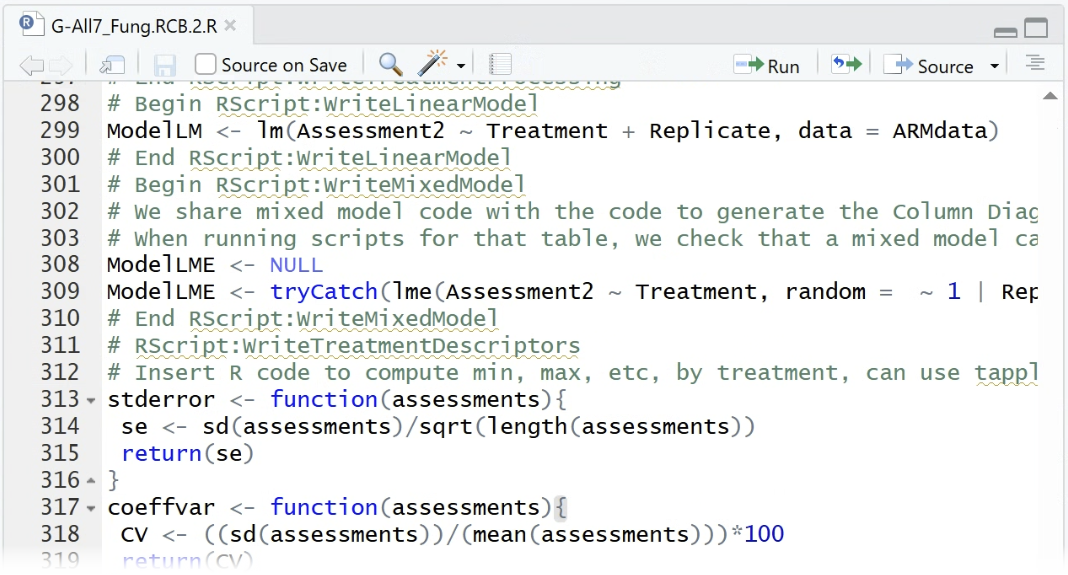
Export full AOV analysis routine as an R script, to replicate ARM's analysis in R. Note that this is only available when running Mixed Models analysis method.
 
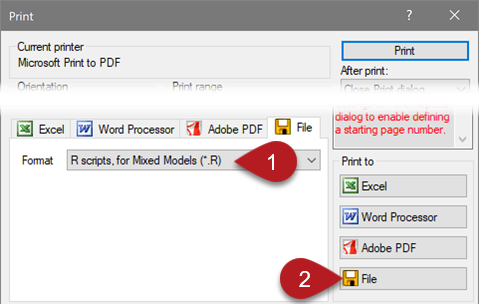
  • From the Print dialog, select File > R scripts format and Print to File.
  • Creates a folder at the "R scripts" path specified in Tools > Options > File tab.
  • A script file (.R) is saved for each column in the report.
  • Each script loads the data, fits the model, and performs all calculations in the AOV Means Table report.


ARM Mobile Updates

New features added to ARM Mobile for July 2026 are as follows.
 

Box Whisker Graph

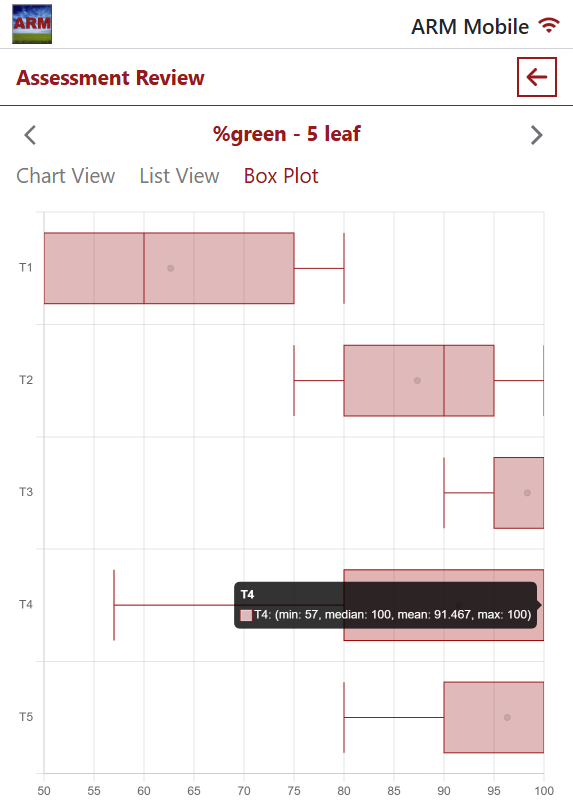
A Box Plot tab is now available on the Assessment Review page, to review the distribution of each treatment individually.
This includes all subsample values, making it easier to identify potentially incorrect entries even across hundreds of data points!
 

Data Cleanup

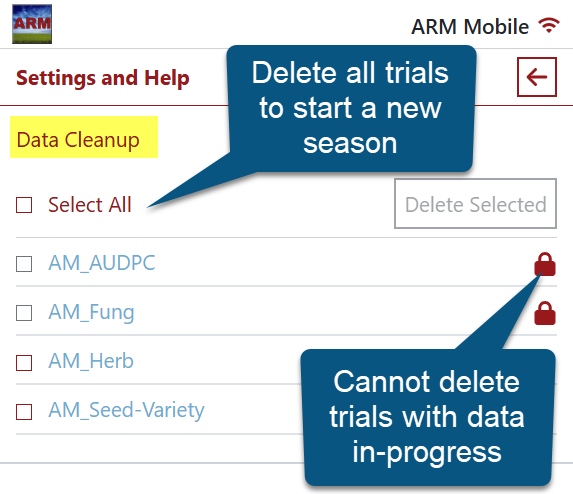
Select multiple trials to delete from the device at one time. Trials with any in-progress data cannot be removed.
Perfect for starting a new season or research project, instead of removing them one-by-one!
 

Version 2026.0

April 2026
 

GEP Certificate Database System (Certibase)

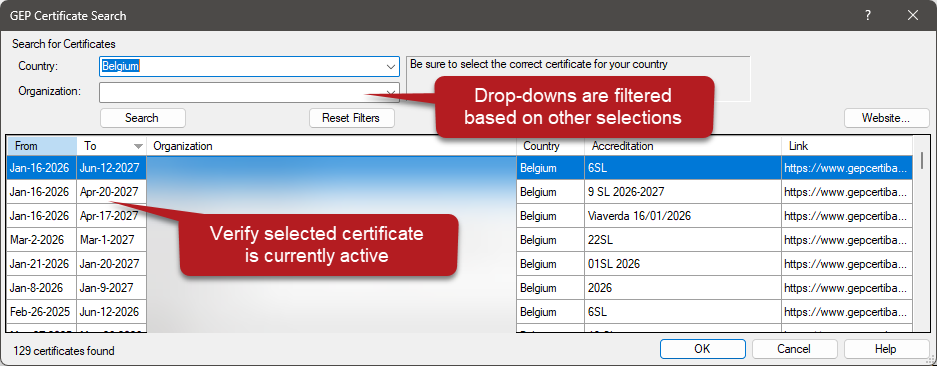
Directly search Certibase within ARM to save GEP Accreditation details to your profile and trials.
Access this search from Help > Profile > Certificates tab > Certibase...